
JACK Error Codes: Complete Guide for All Sewing Machine Models
Every JACK sewing machine error code, sorted by model family — F4/F5/F6, A4/K4/A5, and C4/E4 overlock — with causes, fixes, and links to full guides.

JACK error codes: Quick Answer
JACK doesn’t use one error-code system across its whole range — the code on your panel depends on which control box your machine has. Five JACK control box families cover the machines sold in India: F4/F5/F6 lockstitch, A4/K4/A5 auto-trimmer lockstitch, H2/ZB-A2S/JK-T1377E (a related auto-trimmer family), C4/E4 overlock, and the JK-T781E/T1900/1900BSK bartack & pattern range. Find your model below, then jump straight to your code.
Jump to: Find your family · F4/F5/F6 · A4/K4/A5 · A2/A2B/A2C · H2/ZB-A2S/T1377E · C4/E4 Overlock · JK-T781E · T1900/T1900G · 1900BSK · How to reset · Spare parts · अक्सर पूछे जाने वाले प्रश्न
Step 1: Find Your Machine’s Error Code Family

If you’re not sure which model you have, check the nameplate on the machine arm or control box — the model code (F4, A4, C4, T781E, etc.) is printed there.
| Your Machine | What Your Code Looks Like | Full Guide |
|---|---|---|
| JACK F4, F5, F6 (direct-drive lockstitch) | Single letter + digit: 0F, E1, E5, EA, Eb | JACK F4/F5/F6 Error Codes Guide |
| JACK A4, K4, A5, ZB-A4F (auto-trimmer lockstitch) | Two-digit “Err-” prefix: Err-01, Err-13, Err-23 | JACK A4/K4/A5 Error Codes Guide |
| JACK H2, ZB-A2S, JK-T1377E (related auto-trimmer family) | Two-digit “Err-” prefix; for H2 and ZB-A2S the numbers match the A4 chart for the codes they share | JACK H2, A2S, T1377E Error Codes |
| JACK E4, E4S (C4 control box overlock) | Letter code E1 to E29, plus EA1 and EA2 | JACK C4/E4 Overlock Error Codes Guide |
| JACK JK-T781E, T1900, T1900G, 1900BSK (electronic bartack/pattern/button) | Single letter + digit (T781E) or “E-0xx” / three-digit (T1900 family) | JACK Bartack & Button Machine Error Codes |
Note: some export and OEM JACK panels ship with Chinese-language button labels instead of English — the error code itself still displays the same way (E-code or Err-number), only the button icons differ.
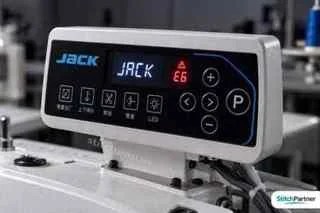
Step 2: Every JACK Error Code We Found, by Machine Family
This is the quick-lookup master list, organised by control box. Each table below covers one family — the full guides linked above go deeper on causes and fixes.
JACK F4/F5/F6 Lockstitch Codes

| Code | Meaning |
|---|---|
| 0F | Sleep mode after ~30 min idle |
| E1 | Motor stuck / plug loose |
| E2 | Motor controller overloaded |
| ई4 | Motor Hall signal / needle position fault |
| E5 | Needle locator signal fault |
| E6 | Speed controller signal abnormal |
| E7 | Head safety switch triggered |
| EA | Software over-current |
| Eb | System over-voltage |
| EC | System under-voltage |
| EJ | Current detection circuit fault |
| EZ | Reverse-stitch button stuck/failed |
JACK A4/K4/A5 Auto-Trimmer Codes

| Code | Meaning |
|---|---|
| Err-01 | Hardware over-current |
| Err-02 | Software over-current |
| Err-03 | Under-voltage |
| Err-04 | Over-voltage at shutdown |
| Err-05 | Over-voltage in operation |
| Err-06 | Trimmer solenoid short circuit |
| Err-07 | Motor current-measuring failure |
| Err-08 | Sewing motor blocked |
| Err-09 | Brake circuit failure |
| Err-10 | Panel/control box communication failure |
| Err-11 | Needle positioning failure |
| Err-12 | Initial motor angle detection failure |
| Err-13 | Motor Hall sensor failure |
| Err-14 | Control board EEPROM failure |
| Err-15 | Motor over-speed protection |
| Err-16 | Motor reverse rotation |
| Err-17 | Panel EEPROM failure |
| Err-18 | Motor overload |
| Err-23 | Motor blocked with encoder failure |
The A7 and A7-D use the same Err- scheme with a few differences, including Err-20, an oil-shortage alarm that comes up every 8 hours. See the A7 section of the A4/K4/A5 guide.
JACK H2 / ZB-A2S / JK-T1377E Codes
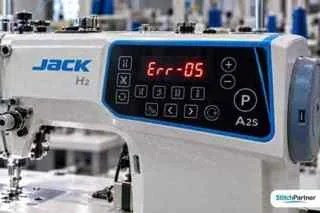
The H2 and ZB-A2S tables below follow JACK’s own manuals, and their numbers match the A4/K4/A5 chart for the codes they share. Always confirm against the manual for your exact model.
| नमूना | Code | Meaning |
|---|---|---|
| JACK H2 | Err-01 | Hardware over-current |
| Err-02 | Software over-current | |
| Err-03 | Low voltage | |
| Err-04 | Over-voltage when stopped | |
| Err-05 | Over-voltage while running | |
| Err-07 | Current detection circuit | |
| Err-08 | Motor stuck | |
| Err-09 | Brake circuit | |
| Err-12 | Initial motor angle | |
| Err-13 | Encoder signal | |
| Err-14 | Main board EEPROM | |
| Err-15 | Motor overspeed | |
| Err-16 | Motor reversal | |
| Err-18 / A-UP | Motor overload / head tilt alarm | |
| JACK ZB-A2S | Err-01 | Hardware over-current |
| Err-02 | Software over-current | |
| Err-03 | Undervoltage | |
| Err-04 | Over-voltage at shutdown | |
| Err-05 | Over-voltage while running | |
| Err-07 | Current detection circuit failure | |
| Err-08 | Motor stalled | |
| Err-09 | Brake failure | |
| Err-10 | Panel communication failure | |
| Err-12 | Motor initial angle detection fault | |
| Err-13 | Motor encoder signal missing | |
| Err-14 | Motherboard EEPROM read/write fault | |
| Err-15 | Motor overspeed | |
| JACK JK-T1377E | Err-01 / Err-02 | Overcurrent (switch off 30s; replace controller if repeated) |
| Err-03 | Undervoltage | |
| Err-04 / Err-05 | Overvoltage | |
| Err-06 | Solenoid wiring | |
| Err-07 | Current detection | |
| Err-08 | Motor jam — check motor plug and foreign objects | |
| Err-09 | Brake circuit | |
| Err-10 | Panel communication | |
| Err-11 | Needle-stop signal — check synchronizer plugs | |
| Err-12 | Motor angle detection | |
| Err-13 | Motor Hall signal | |
| Err-23 | Locked rotor |
JACK A2 / A2B / A2C Lockstitch Codes
The A2 series (A2, A2B, A2C and A2S) is a direct-drive single-needle lockstitch range. These codes come from JACK’s A/K-series controller guide and the ZB-A2S manual, and one third-party A2B listing mentions an “E-04” high-voltage alarm that we could not confirm in JACK’s own manuals. Match the code on your panel to your exact model before ordering parts. JACK’s A3, ZB-A4F and ZB-A2S manuals also tell you to confirm first that the control box matches the machine head and that the factory reset was done correctly. If your panel shows letter codes such as E1, E4 or Eb instead of Err- numbers, use the JACK F4/F5/F6 error codes guide.
| Code | Meaning | What to check first |
|---|---|---|
| E-04 | High-voltage alarm (reported in a third-party A2B listing, not found in JACK’s manuals) | Check the supply voltage. If the alarm stays, contact JACK support. |
| Err-01 / Err-02 | Hardware or software over-current | Power off and restart, check the voltage is normal, turn the hand wheel to see whether a mechanical part is stuck, and check the motor plug. If it returns, restore factory settings and test the motor angle, then replace the controller. |
| Err-03 | Under-voltage | Stabilise the mains supply. |
| Err-04 / Err-05 | Over-voltage (at shutdown or running) | Check the input voltage is within the machine’s rated range. |
| Err-06 | Solenoid (trimmer) circuit fault | Switch off and check the solenoid plug and wiring for looseness or damage. Replace the controller if it still fails. |
| Err-07 | Motor current measurement fault | Power off and restart. Get a technician if it repeats. |
| Err-08 | Sewing motor blocked | Remove thread and fabric from the head and check the motor plug. |
| Err-09 | Brake circuit fault | Check the brake (cement) resistor plug on the control box is seated and that the resistor has not burst. Replace the resistor, then the control box, if it stays. |
| Err-10 | Panel to controller communication fault | Check the cable between the panel and the controller for looseness or a break, then restore factory settings. Replace the panel if it stays. |
| Err-11 | Needle positioning failure | Check the cable between the controller and the head synchronizer for looseness or damage. |
| Err-12 | Initial motor angle detection fault | Power down and retry 2 or 3 times. Replace the controller if it keeps returning. |
| Err-13 | Motor sensor (Hall or encoder) signal fault | Check the motor sensor plug and cable for looseness or damage. |
| Err-14 | EEPROM read/write fault | Power off for 30 seconds and restart. If it stays, restore factory settings and test the motor angle, then replace the controller. |
| Err-15 | Motor over-speed protection | Power off for 30 seconds and restart. If it stays, restore factory settings and test the motor angle, then replace the controller. |
| Err-16 | Motor reversal | Check the motor plug, then power off for 30 seconds and restart. If it stays, restore factory settings and test the motor angle, then replace the controller. |
| Err-17 | Panel (HMI) EEPROM read/write fault | Power off for 30 seconds and restart. If it stays, restore factory settings and test the motor angle, then replace the controller. |
| Err-18 | Motor overload | Check the fabric thickness and that the head turns freely, and investigate it the same way as Err-08 (motor blocked). |
| Err-23 | Motor blocked, encoder fault | Clear any sluggish movement. Replace the encoder if the fault remains. |
About the A2B manual. JACK’s A2B operation manual covers setup, oiling, thread tension, hook timing and pedal adjustment, and points to download.chinajack.com for the full manual and parts book. It lists no error codes, and it is the same “Direct Drive Power” manual as JACK’s F5, so an A2B panel may show the F-series letter codes in our F4/F5/F6 guide instead of the Err- numbers above. The manual does give one check that matters for motor faults: after setting up the machine, bring the needle down by hand and switch on, and the hand wheel should turn counterclockwise as seen from the hand wheel side. A motor turning the wrong way is the kind of fault Err-16 (motor reversal) describes, so check the direction first after fitting a new motor or control box. JACK’s A2B brochure also says the control box was tested for 300 hours at 130 to 280 V for high-voltage protection.
Voltage limits differ by controller. JACK’s A3 and ZB-A4F manuals treat a supply below 176 V as under-voltage and above 264 V as over-voltage, while the ZB-A2S manual uses below 110 V and above 275 V. Check the limits printed in your own controller’s manual before you decide the supply is at fault.
Alarm messages are not faults. On the A3 controller family, a stitch-counter or trimming-counter alarm just means the counter reached its limit, so press the key to cancel it. A power-off alarm clears by waiting 30 seconds before switching on, and a safety-switch alarm clears when the machine head is returned to its correct position.
The ZB-A2S and H2 controllers number some codes differently, so see the JACK H2 and A2S error codes guide. For the closely related auto-trimmer family, see the JACK A4, K4 and A5 error codes guide.
If your code isn’t listed, the controller box label or the JACK manual for your exact model is the definitive reference. For the matching control boards and parts, see the JACK A2C / A2-CZ PCB control board और यह JACK A2B PCB main control board. To identify your model first, read the JACK model numbers guide.
JACK C4/E4 Overlock Codes (C-Series Control Box)

JACK’s C4 and C5 manuals use this list. E1 to E6 are confirmed in the manuals, and the rest follow a published JACK C-series code guide, so check your own manual if your panel differs. If your panel has a voice key, press it to hear the cause and fix. The full C4/E4 guide has a first check for every code.
| Code | Meaning |
|---|---|
| E1 | Motor stuck |
| E2 | Software over-current |
| E3 | Panel and control box connection fault |
| ई4 | Motor Hall signal abnormal |
| E5 | Needle stop position signal fault |
| E6 | Presser foot safety switch in the wrong position |
| E7 | Sewing bed (plate) safety switch in the wrong position |
| E8 | Needle bar safety switch in the wrong position |
| E9 | Pedal connection problem |
| E10 | Hardware over-current |
| E11 | Over-voltage when stopped |
| E12 | System under-voltage |
| E13 | Brake circuit fault |
| E14 | Parameter read/write problem |
| E15 | Motor over-speed protection |
| E16 | Motor reversal |
| E17 | Over-voltage while running |
| E18 | Motor overload |
| E19 | Current detection circuit problem |
| E24 to E29 | Voice chip (E24), adapter board communication (E26), factory reset (E27), trimmer electromagnet (E28) and presser foot electromagnet (E29) faults |
| EA1 / EA2 | Counter full alarm. Press P to clear, or set P71 to 5 |
E3-series overlock panels (keys P and S, no voice key) use a shorter list, and E3 means something different there: E1 motor stuck, E2 over-current, E3 parameter save abnormal, E4 Hall signal abnormal, E5 positioner signal abnormal, Eb over-voltage. See the E3-series section of the C4/E4 guide.
JACK JK-T781E Bartack/Pattern Codes
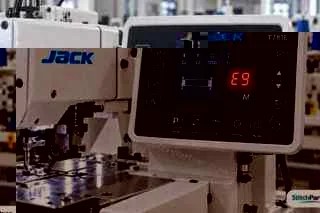
| Code | Meaning |
|---|---|
| E1 | Power module error / abnormal over-current or over-voltage |
| E3 | Stepper motor communication abnormal |
| E6 | Stepper motor sensing abnormal |
| E7 | Loose plug, position signal fault, blocked head, or heavy fabric |
| E9 | Positioning signal abnormal |
| E11 | Needle signal can’t output at startup — positioner fault |
JACK T1900 / T1900G Codes
The T1900 and T1900G pattern/bartack machines use a longer “E-0xx” numbered scheme, plus a separate M-series for pattern/memory faults.
| Code | Meaning |
|---|---|
| E-001 | Pedal not in middle position — release the pedal |
| E-003 | Head tilt error — return the head; check the tilt switch |
| E-004 / E-005 | Low / high voltage |
| E-007 / E-034 | Main shaft driver abnormal |
| E-008 / E-009 | 24V supply error |
| E-012 | Presser foot position error — check CZ025 on the head signal board |
| E-013 | Encoder disconnected — check plug X5 |
| E-015 | Beyond sewing area — press RESET; check pattern and X/Y scale |
| E-016 | Needle bar up position error — turn handwheel to bring needle bar up |
| E-018 | Cutter position error — check CZ024 |
| E-019 | Emergency stop switch not normal — reset the switch by hand |
| E-025 / E-026 | X / Y origin search error — check CZ021 / CZ022 and X9 |
| E-027 / E-028 | Presser / thread-catching origin error — check CZ025 or CZ026, and X9 |
| E-030 | Main board / stepping board communication — power cycle; check cable |
| E-035 / E-036 | Main board overcurrent — power cycle; replace motor, then main board |
| E-037 / E-038 | Main shaft overcurrent / machine locked — check encoder and mechanical jam |
| M-317 | Main board to panel communication error |
| M-333 | Lubrication alarm: oil the machine, press RESET, then clear the stitch count in parameter U245 |
| M-300 to M-332 (other) | Pattern, memory and USB import errors — select another pattern or restore defaults from the system menu |
JACK’s T1900G manual lists about 70 main-control codes and 35 panel codes. The JACK bartack guide has the full set, including E-002 (pause or backward-pedal emergency stop), E-010, E-014, E-020, E-023, E-043 and the stepping closed-loop codes.
JACK JK-1900BSK Codes (older three-digit series)
| Code | Meaning |
|---|---|
| E7 | Machine lock |
| E30 | Needle bar not up |
| E40 | Sewing area exceeded |
| E221 | Lubrication alarm: restart, enter parameter 245 to clear the value, restart again |
| E302 | Head tilt |
| E303 | 24V supply |
| E730 | Encoder — check main shaft motor cable |
| E811 / E813 | Over-voltage / low voltage |
| E901 / E903 | Main shaft driver / stepping driver |
| E907 / E908 | X / Y origin |
| E910 / E913 | Presser origin / thread-catch origin |
| E915 / E916 | Communication errors (main board to panel / stepping board) |
| E10 | Pattern number not registered, or pattern 0 chosen — press R and check the pattern |
| E43 | Enlargement error — switch off, check parameters 56 to 59 stay within the 40 x 30 sewing area |
| E45 | Pattern data abnormal — switch off, check the data ROM |
| E50 | Pause (RESET pressed while sewing) — press R |
| E305 | Cutter position — restart, check the knife position, or restore 67 as the manual says |
| E306 | Thread-catching position — check CZ026 on the head signal board, then the optocoupler |
| E731 / E733 | Main shaft and stepper communication conflict / main shaft over-current — switch off, check the encoder signal and connection, restart |
| E904 / E906 | 24 V over-current / main shaft out of control — switch off, wait, restart |
| E914 | Feeding not in step with the main shaft — switch off, wait, restart |
| E943 | Main board EEPROM read/write — switch off, wait, restart, check pins 26 and 27 of the X9 plug |
What Almost Every JACK Error Code Comes Down To
Across every control box family, the same handful of root causes explain most fault codes: a plug or sensor connector that’s worked loose (motor, encoder, positioner, pedal), a machine overdue for oil and drawing more current than normal, a mechanical jam that looks electrical until you turn the hand wheel by hand, and mains voltage fluctuating outside the control box’s rated range. Checking these four things first solves most cases before you need a technician.
The exceptions are codes tied to a specific sensor or board failure — Hall sensor faults, EEPROM read/write failures, current-detection circuit faults — which are genuine part-level failures rather than loose connections, covered part-by-part in each detailed guide.
How to Reset a JACK Control Box
- Note the exact code on the panel before doing anything else — you’ll need it if the fault returns.
- Switch off at the wall and unplug the machine, not just the pedal.
- Turn the hand wheel by hand to rule out a mechanical jam — thread wrapped around a looper or hook is the single most common cause of a “motor stuck” code.
- Reseat every plug named for your code — motor, Hall sensor, positioner, pedal, or panel-to-box connector.
- Power back on and test on scrap cloth at slow speed before running production.
- If the code returns immediately, stop restarting — repeated resets can stress a genuinely failed board. Check the supply voltage with a meter and inspect the cable instead.
- Still stuck? Message us the model and code on WhatsApp and we’ll confirm the exact part before you order.
Genuine JACK Spare Parts for These Fixes
Browse the full JACK spare parts category, or the JACK F4/F5/F6 spare parts range for the lockstitch family covered above. These are the parts behind most of the fixes across all five control box families:
- JACK Wheel Sensor — needle-position and Hall sensor faults
- JACK Wire Connector — intermittent power/connection faults
- Pedal Wire for JACK F5 — speed controller/pedal signal faults
- A2B PCB Motherboard — board-level EEPROM and control faults
- Direct Drive Servo Motor Control Board — universal-fit control board option
- Direct Drive Wheel — motor-stuck/mechanical faults


For background, see Sewing machines on Wikipedia.
Keep Every JACK Machine Running Longer
Keep the machine clean and oiled, and use a voltage stabiliser — unstable mains voltage causes a large share of the codes on this page. Never pull on plugs by the cable; a few minutes of care each week saves costly repairs.
Write the code and date on a tag near the machine whenever you fix one — the next operator or technician sees the history at once, and repeat faults get caught early. Keep a spare pedal and cable on hand so a simple failure never stops your line for long, and order common spares before you need them.
Change one thing at a time when troubleshooting — reseat a plug, test, then move to the next check — so you know exactly what fixed it. Buy genuine parts for the exact model and keep the old part for comparison, so you don’t end up ordering the wrong item twice.
अक्सर पूछे जाने वाले सवाल
Why does JACK use different error codes on different machines?
JACK’s lockstitch, auto-trimmer, overlock, and bartack machines each use a different control box designed for that machine type’s specific motor, sensors, and features, so each control box family has its own fault-code numbering rather than one universal system across JACK’s whole range.
Do JACK H2, ZB-A2S and A4 use the same error codes?
Mostly yes. JACK’s H2 and ZB-A2S manuals use the same numbers as the A4 manual for the faults they share, such as Err-01 to Err-05, Err-08, Err-09, Err-12, Err-14 and Err-15. They simply list fewer codes, so use the table for your exact model and check the manual if your code is missing.
My JACK machine shows a code that isn’t in any of these tables — what do I do?
Check the shape of the code against the five families above to identify which guide applies, then check your machine’s own printed manual if the exact code still isn’t listed — we’ve listed the codes published in JACK’s control box manuals, but newer control box revisions may add codes that aren’t in them.
Do all these error codes mean the machine needs a technician?
No — across every JACK family, most codes trace back to a loose plug, low oil, or a simple mechanical jam that you can check and clear yourself with the machine unplugged. Voltage-related and board-level codes (EEPROM, current-detection circuit faults) are the ones more likely to need a technician.
What does M-333 mean on a JACK T1900?
M-333 is the lubrication alarm — oil the machine as the manual describes, press RESET, then clear the stitch count in parameter U245 so it does not come back. It isn’t a fault code in the usual sense, just a scheduled-maintenance reminder.
Is the C4/E4 overlock E4 code the same as the F4 lockstitch E4 code?
They’re conceptually similar — both point to an abnormal motor Hall signal — but they run on different control boxes (C4 for overlock, F-series for lockstitch), so the wiring and parts you check are specific to your machine type.
Full guides: JACK F4/F5/F6 Error Codes | JACK A4/K4/A5 Error Codes | JACK C4/E4 Overlock Error Codes | JACK Bartack & Button Machine Error Codes | JACK H2, A2S, T1377E and Zoje Codes | JACK vs Juki Buying Guide | Juki DDL-9000C and Siruba DL720 Error Codes | Servo Motor Problems and Error Codes | JACK Model Numbers Explained | Juki DDL-8700 Error Codes | Brother S-7200C Error Codes | All Brands and Models Index
Written by Aashu, owner of Stitch Partner. We source and fit genuine JACK spare parts every week across every model family above — the codes on this page follow JACK’s published control box manuals, and we’ll keep adding to it as we verify more codes.
In This Guide
Related Articles


Looking for the Right Sewing Part?
From machine parts and accessories to cutting tools and finishing essentials, find the products you need to keep your work moving.
Explore Our Products